Practical Ruby Projects: Ideas for the Eclectic Programmer
This book is a little different from other computer books. It is meant to be entertaining, exciting, and intellectually challenging. Inside you'll find a collection of diverse projects, ranging from the creative to the theoretical, written as a nod to all the great Rubyists I've been privileged to know.
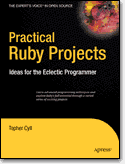
( Publisher | Amazon | Source Code )
You'll start by building a cross platform music environment, progress to drawing animations using Scalable Vector Graphics, and then move on to practical problem solving using simulation. In addition, you'll implement your own turn-based strategy game and build a Mac native RubyCocoa interface to it. Next, you'll revisit your simulation with the assistance of biologically inspired genetic algorithms. And, in the last two projects, you'll implement your very own Lisp interpreter and explore the theory and practice behind parsers.
Computer Science Band Name of the Day
christophercyll at gmail.com